
Image Editor
Edit a finished still image by describing the change you want. Upload an image, write the edit instruction, choose count and format, and see the credit cost before render.
- Outputs image
- From 1 credits
- 9:16 · 1:1 · 16:9

How Image Editor works
1. Set it up
Add your image to edit and edit instruction.
2. Choose options
Pick aspect ratio, model.
3. Generate
ClipRush renders your image, ready to download and post.
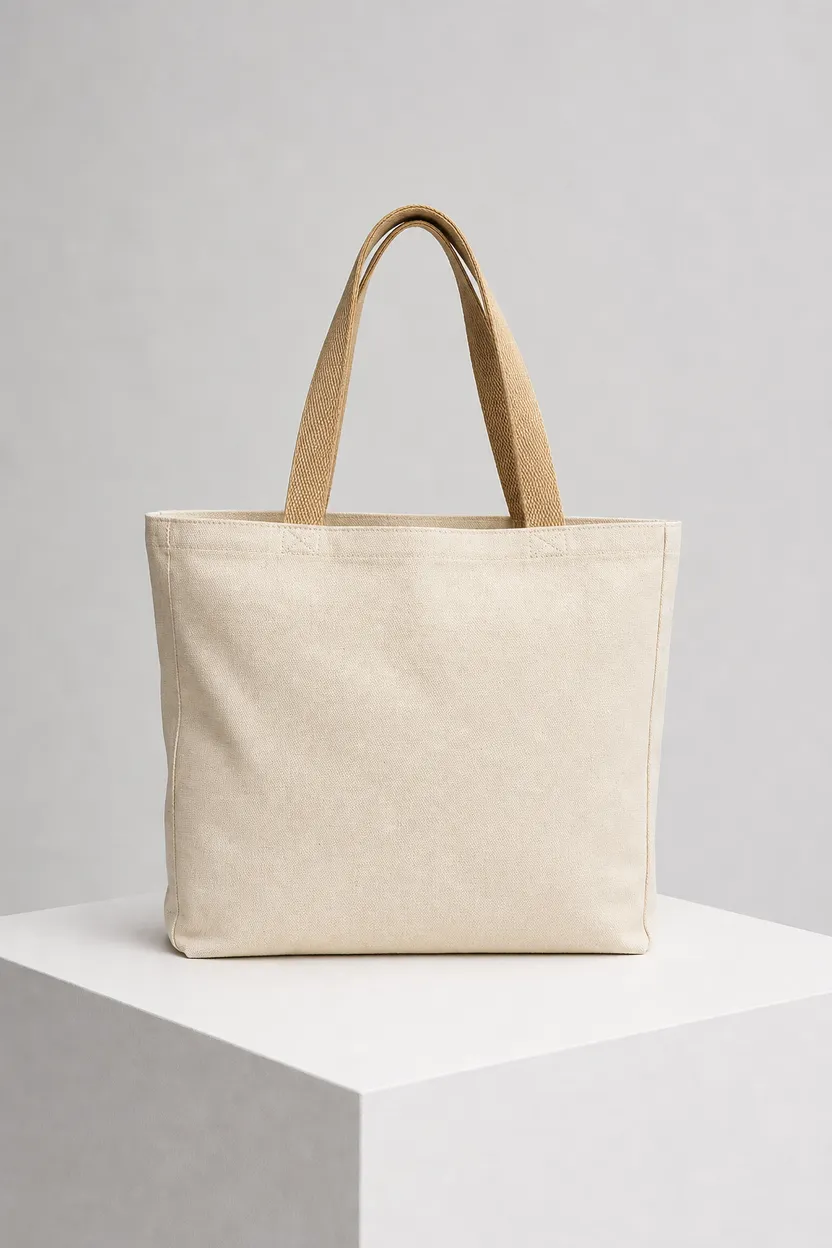
Canvas Tote Clean Edit
This example edits a cream canvas tote with a new setting, added prop, and cleaner shadows for ecommerce or social posts.
Start with an image + edit instruction
Example prompt
“Keep the cream canvas tote and pedestal; move it to a warm sunlit kitchen setting, add a folded striped scarf, clean shadows.”

FAQs
Image Editor makes edited still images from your uploaded image and instruction. It can change backgrounds, outfits, objects and other targeted details.
Image Editor starts at 1 credit. Your credit cost is shown before render, and credits are bought in one-time packs that never expire.
Yes, Image Editor supports 9:16, 1:1 and 16:9. You can also generate 1 to 4 edited images per run.